Windows
Download for Windows
Windows 10 / 11 · x64 installer · approx. 80 MB
Software product
Coxswain (project name coxn) is an Emacs-style editor built with Clojure: keybindings and command names follow the Emacs global-map, plus an M-m leader key. tree-sitter, LSP, a project tree, a Magit-style Git interface, completion, and function hints all work out of the box.
Configuration is a single init.clj: set options, bind keys, switch themes, define your own commands — all in Clojure. Installers are free to download; no account required.
The feel of Emacs, configured in Clojure
(set-option! :tab-width 4)
(set-option! :indent-offset 2)
(set-theme! :doom-dark)
(bind-key! "C-c g" 'find-file)

(defcommand insert-date "Insert today's date." [ed]
  (ed/insert ed (str (java.time.LocalDate/now))))
(bind-key! "C-c d" 'insert-date)
Features
C-x, C-c, M-x and the usual motion, editing, window, and buffer commands follow the Emacs global-map; Coxswain's own features sit behind the M-m leader key with which-key hints.
Highlighting renders from the syntax tree; sexp navigation, indentation, and selection follow structure too. Clojure, Common Lisp, C/C++, Java, Erlang, Elixir and more are built in.
Opening a file attaches the matching language server: definitions, references, rename, formatting, diagnostics, completion, inlay hints. Common servers can be installed automatically when missing from PATH.
Project files, project-wide grep, project tree, buffer and workspace management; Git status, staging, commit, branches, log, diff, blame, and stash — all inside the editor.
Clojure over CIDER/nREPL, Common Lisp over SLIME, plus REPLs for Erlang and Elixir. Commands are defined in Clojure, so each project can extend the editing flow.
14 color schemes built in, with customizable faces and themes; the UI ships in English and Chinese, and settings and data live in standard local directories.
Interface
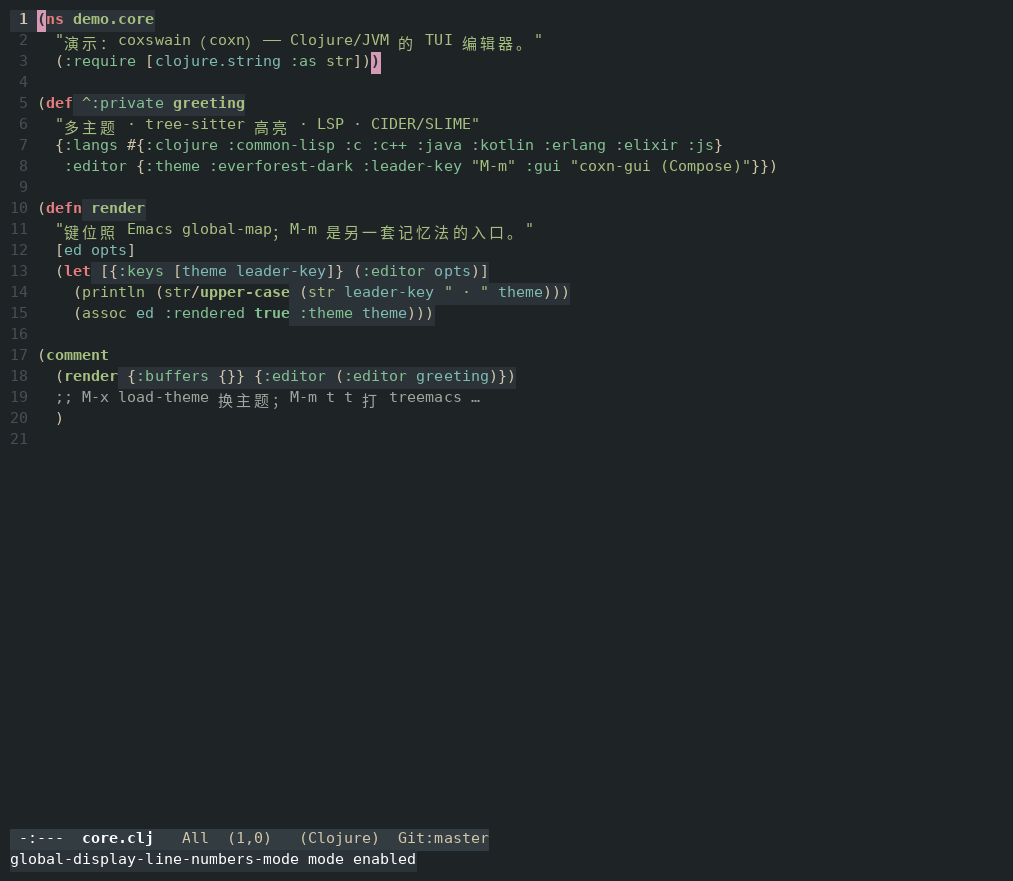
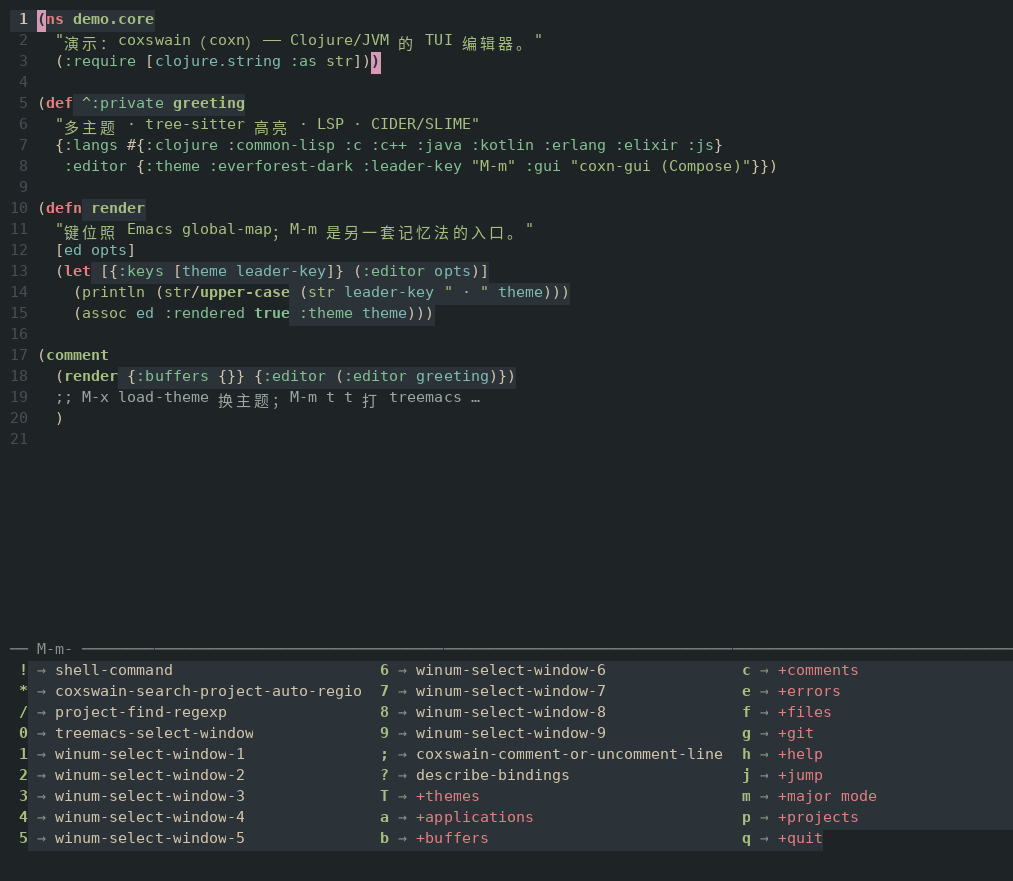
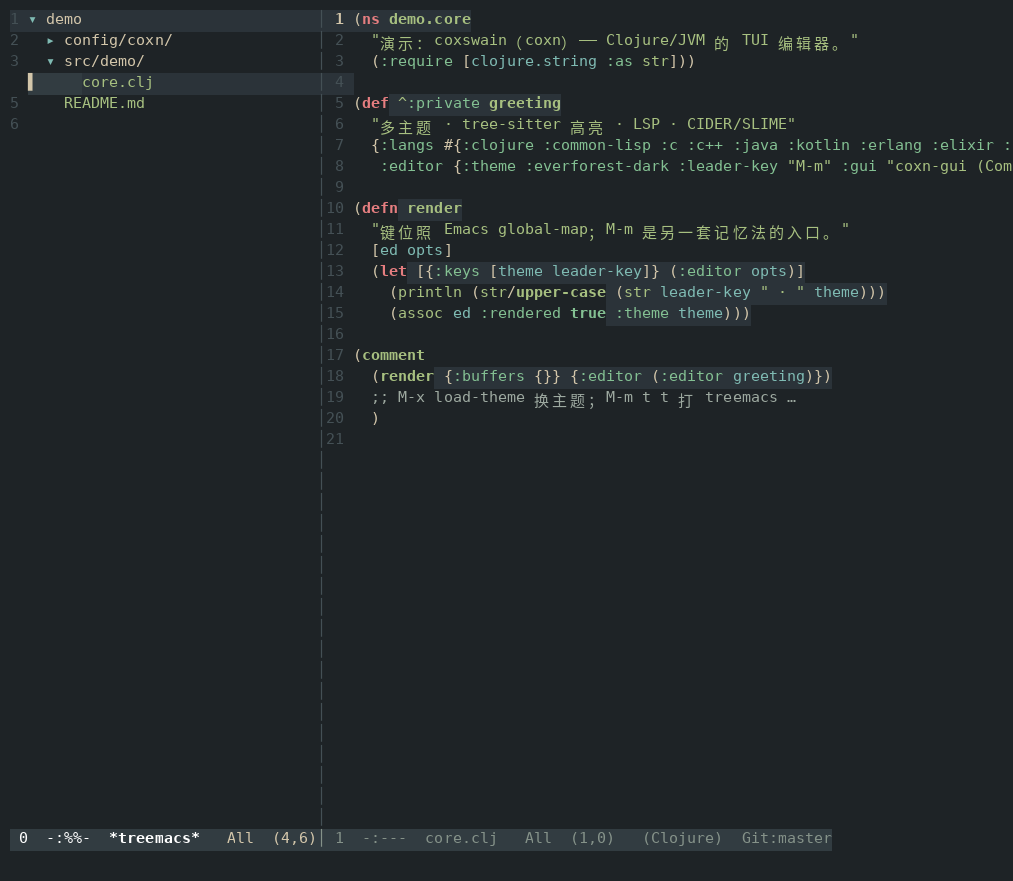
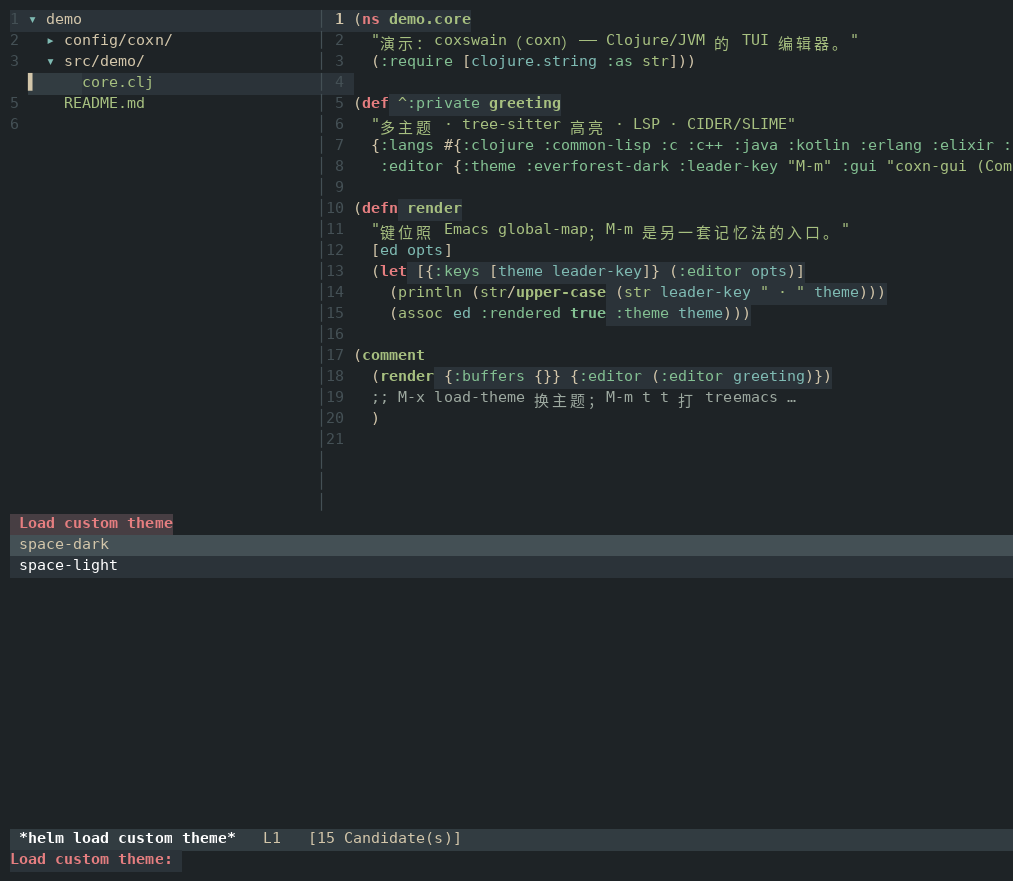
Free download
Current version 1.2.5. Installers and the manual are hosted on this site — no account needed.
Windows
Windows 10 / 11 · x64 installer · approx. 80 MB
Linux
Debian / Ubuntu · amd64 package · approx. 74 MB
Verify SHA256SUMS before or after downloading. For the full configuration reference, see Read the user manual.
Capabilities
init.clj lives under XDG or %APPDATA% on Linux and Windows respectively; a broken config never blocks startup.
Changes can be autosaved; original files can be backed up before the first save. After a crash, recovery follows the Emacs way.
Completions pop up as you pause typing; function hints show in the echo area by default, or in a floating popup.
tree-sitter, LSP, Git, CIDER, SLIME, language and UI layers can each be enabled as needed.
The current installers are terminal-first (TUI); the Compose-based GUI (coxn-gui) is optional, Linux first.
Config, cache, bookmarks, project lists, and editor state are local files — back them up directly.
Specifications
| Current version | 1.2.5 |
|---|---|
| Platforms | Windows x64, Linux amd64; FreeBSD supported on the development branch |
| Configuration | Clojure (init.clj) |
| Core features | Emacs keybindings, tree-sitter, LSP, project tree, Git, REPL, themes |
| License model | Free to download and use |
FAQ
Yes. The Windows and Linux installers on this page are free to download and use; no account required.
This page offers Windows x64 and Linux amd64 installers. The development branch also runs on FreeBSD, but no FreeBSD package is offered here.
Coxswain re-implements Emacs-style keybindings, commands, and editing feel, with Clojure as the configuration and extension language; it is not an Emacs Lisp distribution.
By default ~/.config/coxn/init.clj on Linux (honoring XDG_CONFIG_HOME) and %APPDATA%/coxn/init.clj on Windows; $COXN_INIT points elsewhere. The full option reference is in the manual.
Recommended: check the hashes in SHA256SUMS before installing.
Yes. A multi-page HTML manual is hosted here alongside the Markdown original; it covers config loading, core options, LSP, project tree, REPL, themes, language, hooks, keybindings, and environment variables.
Another tool
An AI research assistant that lives on your computer. Point it at a folder to ask questions, organize cards, draw link graphs, build slides.