Read and organize at once
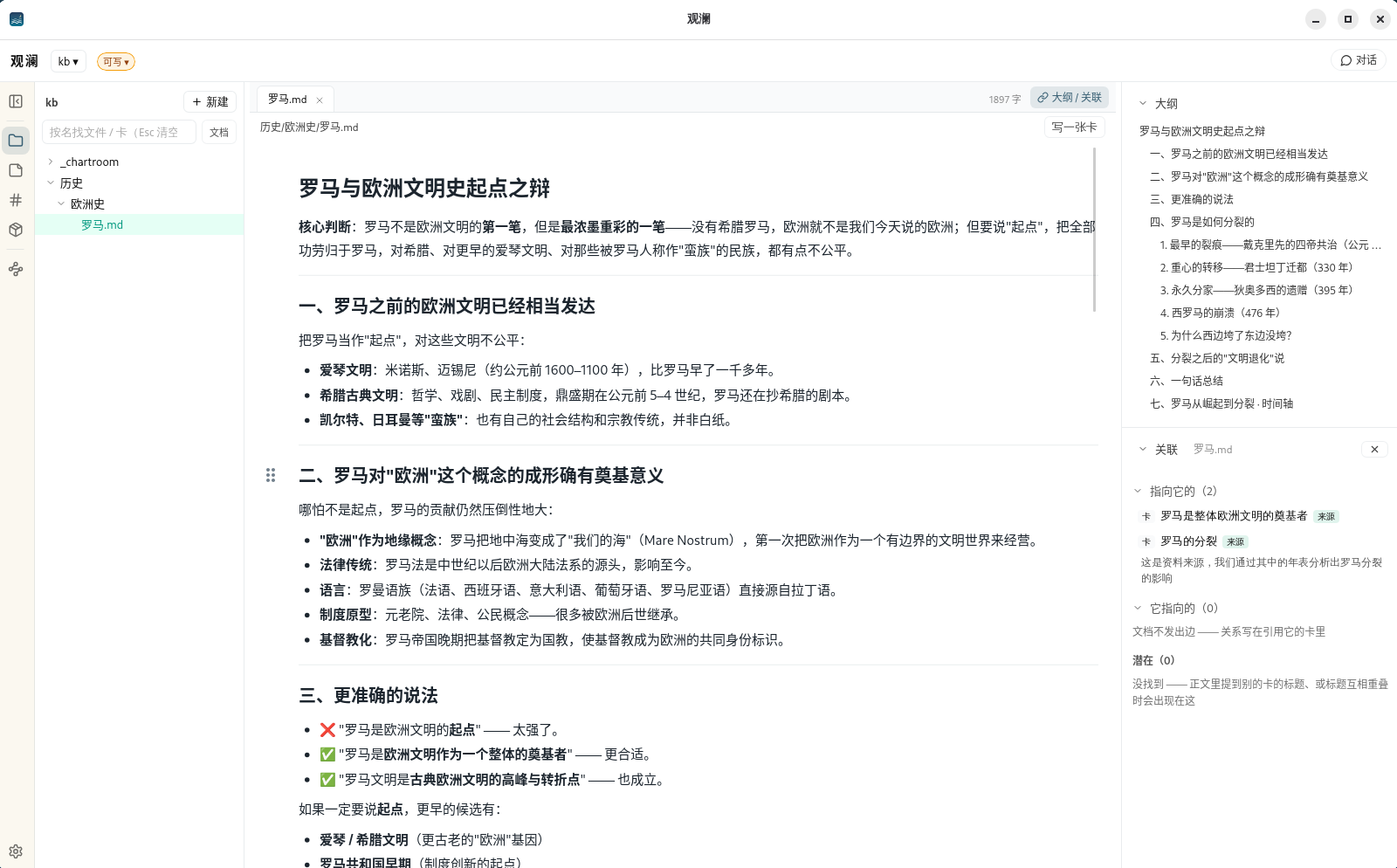
Your folder on the left, the note in the middle, its outline on the right — plus which cards mention it and what it mentions.
Software product
You probably have a folder stuffed with reading material: notes, papers, work documents. Select it and Guanlan organizes everything into a question-ready library while your files stay untouched.
Ask it anything and it searches the whole folder; ask it to record cards, draw a graph, or turn one note into a slide deck. No account needed — open it and start.
Guanlan (观澜) — watching the waves on the water.
Runs locally. No account, no telemetry · Privacy policy
Features
Your folder on the left, the note in the middle, its outline on the right — plus which cards mention it and what it mentions.
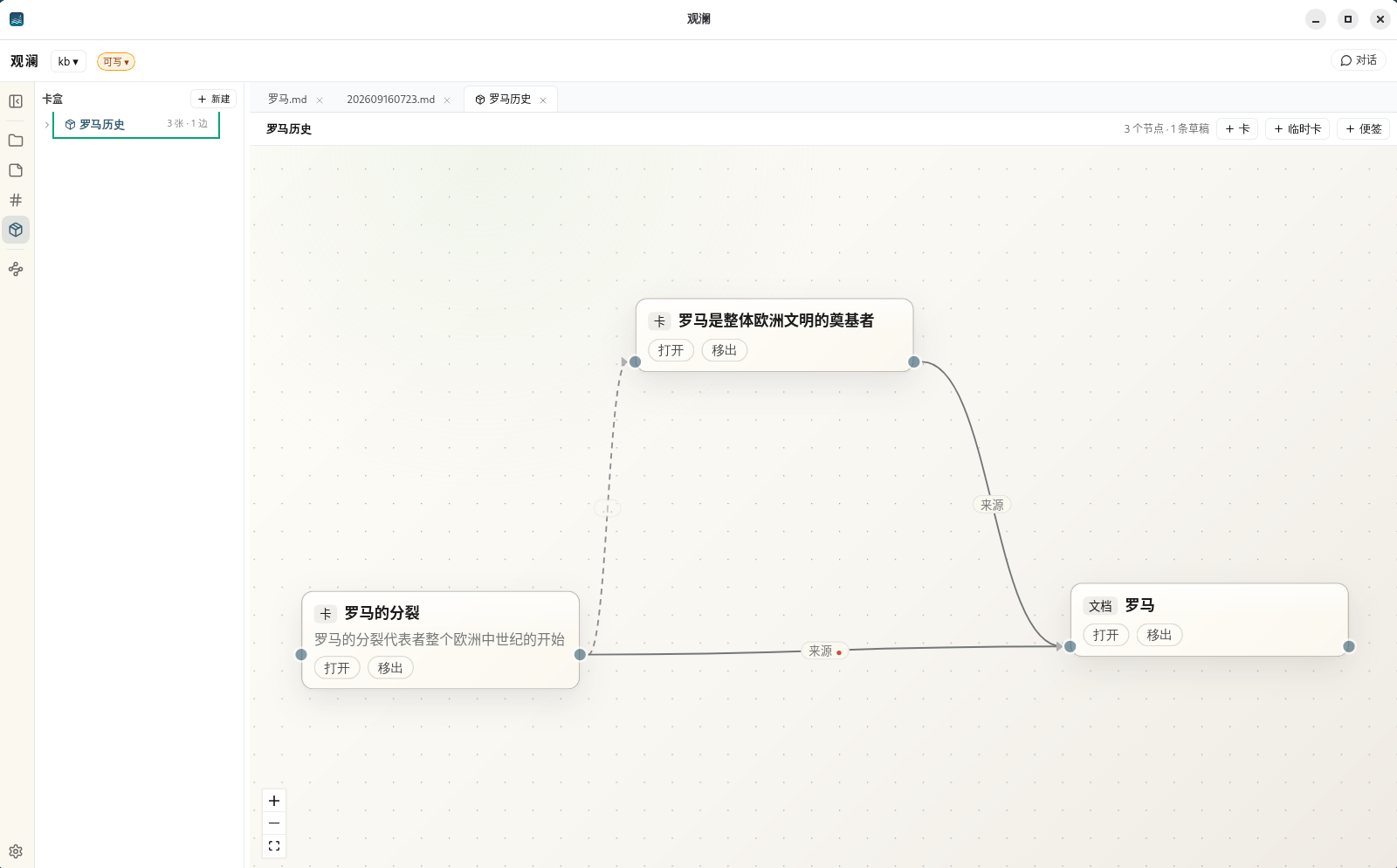
Lay cards and documents on a canvas and connect them: source, supports, contradicts, extends. See how ideas fit together at a glance.
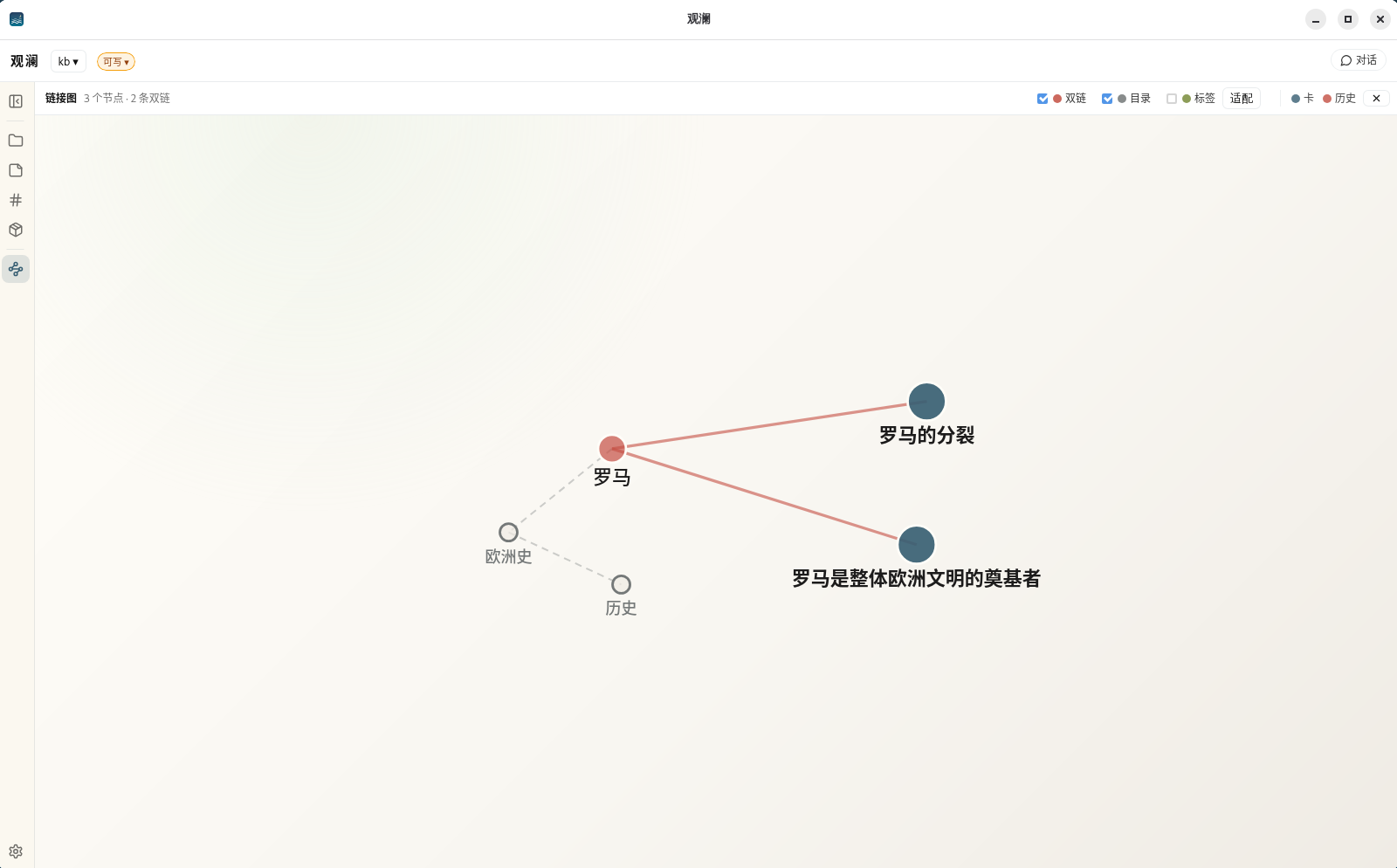
Every card, document, and citation in the library, drawn as one graph you can take in at a glance.
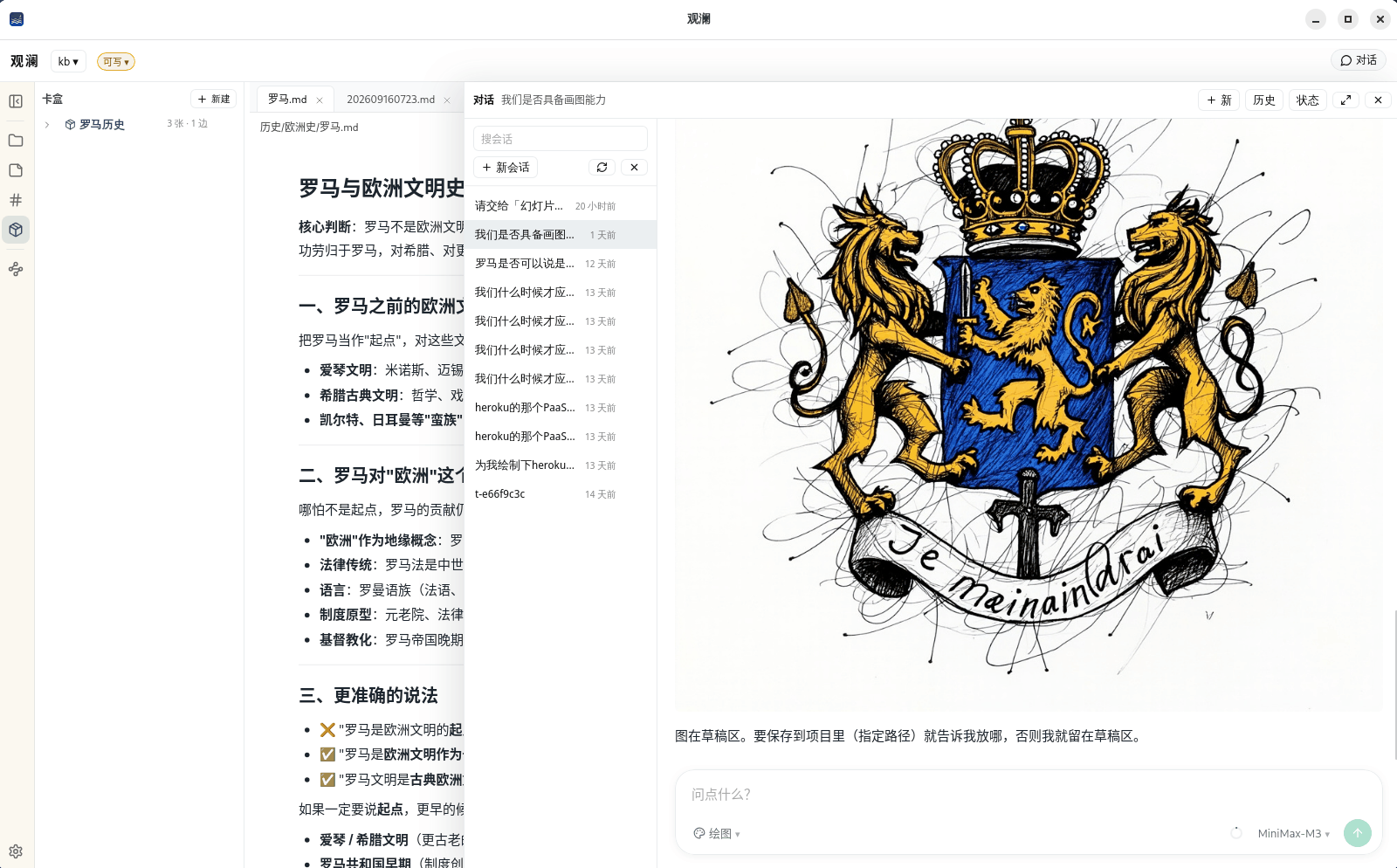
The AI sits beside the document you are reading: it finds material, records cards, draws graphs. Its output lands in a draft first and joins the library only when you say “save” and confirm.
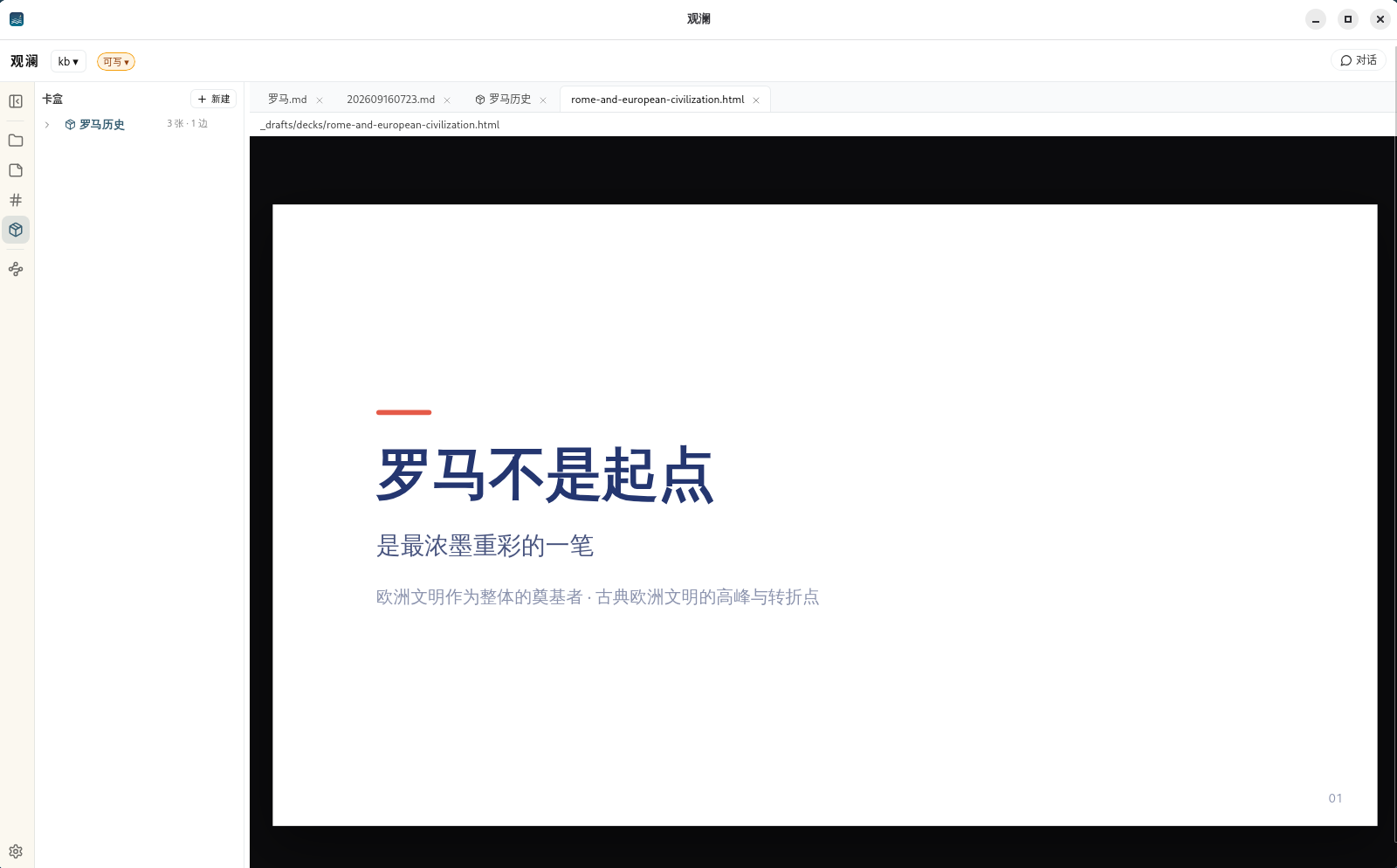
Have it turn a note into a slide deck, then flip through it right inside Guanlan.
Capabilities
No need to remember the exact wording — describe what you are looking for and it finds the relevant passages anywhere in the folder.
Record ideas as cards that reference each other, and watch your own knowledge network grow.
Connect DeepSeek, Qwen, Kimi, Zhipu, MiniMax and more with your own account, or use models downloaded to your machine.
Ask the AI for a relationship diagram or a sketch to untangle complex material.
Cards and chat history live inside the folder itself — copy it to another computer and the history comes along.
Expose the library to other AI tools on the same machine (for example Claude Code); local access only.
Is your data safe?
Everything Guanlan writes goes into its own subfolder inside your folder; your original files are never touched.
| Content | How Guanlan handles it |
|---|---|
| Your original files | Read-only. Never modified, moved, or tagged |
| Cards and images Guanlan writes | Stored in a _chartroom subfolder as ordinary files — back them up, sync them |
| Chat history and search data | Stored in a hidden .chartroom subfolder. Delete it and your files lose nothing |
FAQ
Anyone with lots of material to revisit: students and researchers with literature and reading notes, writers collecting material, professionals with work documents. As long as it is in one folder, Guanlan organizes it and answers questions.
No. Guanlan only reads your original files; everything it writes — cards, images, history — goes into its own subfolders. Delete those and your files are untouched.
Guanlan connects to DeepSeek, Qwen, Kimi, Zhipu, MiniMax and other services with the API key you get from each platform; you pay that platform directly under its rules. You can also use models downloaded to your machine at no online cost.
Searching your material is entirely local. Chatting needs the internet only when you use an online AI service; a local model works fully offline.
We never receive any of your material. Only when you ask an online AI does the question and the relevant snippets go directly to the service you chose. See the Guanlan privacy policy.
Windows and Linux today; no macOS build yet.
Another tool
An AI partner for long-form fiction. Characters, foreshadowing, plotlines, what the reader already knows — all remembered, with self-checks after every chapter.